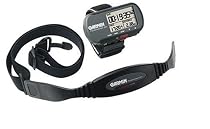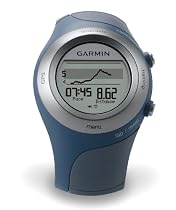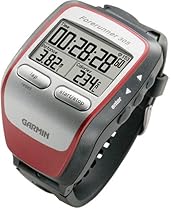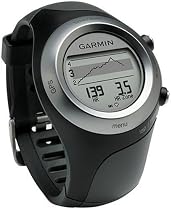
Garmin Forerunner 405 Wireless GPS-Enabled Sports Watch with Heart Rate Monitor


A Terrible Disappointment - Stick with the 3051

As a long-time user and fan of the Garmin 305 the Garmin 405 was a product I was looking forward to for months as I was excited to see the next generation of the 305 I have enjoyed so much.


I could not be more disappointed with the result.


The Garmin 405 is a classic example of a good product concept and clever design gone horribly wrong as the Garmin team focused on form (looks) clearly beat out the folks worried about function. The watch looks fine (great for a HRM/GPS watch so so for an everyday watch) but in terms of actual purpose-built functionality it is terrible. There are multiple reasons for this which I will outline below.


(1) Useless when wet (yes that includes sweat). The fact that you cannot toggle between screens or do anything with the bezel while the device is wet should have caused the designers to toss out this novel touch sensitive concept and stick with what works. Instead they decided to go with a neat design concept that works great when the salesperson is showing it to you at the store but will provide endless hours of frustration when you are out running and just want to see your heart rate. This is my first bullet point because it is the best example of the type of design failures that make this a terrible device.


(2) Use of built in functions/screens - The makers carried over the capabilites of the Garmin 305 and added a virtual training partner functionality but the display can only show three fields at once and the fields themselves are too small for good viewing while in motion (ie running). Cycling between the displays is easy to do while sitting on a couch even fun when you run your finger along the bezel but when you are out running you quickly realize that it is very difficult to accomplish anything with the device. With the 305 if you wanted to change fields on the fly you could manage to do it while keeping a reasonable pace. With the 405 you need to press buttons and run your finger along the bezel to switch fields - again great on a couch nearly impossible on a run.


(3) GPS Accuracy. I have traded messages with people who disagree and I will say that I sometimes have great accuracy but have also had multiple experiences where the accuracy of this device is off by so much as to make the pace and distance benefits of a GPS useless. The best example is running a measured mile with typical neighborhood street tree coverage and having the device show I went a total of 0.70 miles (the 305 on the same stretch showed 1.01). I have had this happen multiple times in various locations and therefore have stopped using the watch in races when I want to know my true pace and distance (I am using the 305 again).


(4) Silly things that might (or might not) drive you crazy - There are two buttons on the Garmin 405 - both on the right side of the face as you look at it. These buttons perform some useful functions including locking the bezel so that you can wear the device in a non-GPS mode and avoid running down the battery needlessly while still using the device as a watch. The problem is that if like me you actually own a daily wear watch and when you travel you prefer to put the 405 in your bag or suitcase having the two buttons on the same side means that if they press against anything they will unlock the bezel and the GPS will start running (or try to). The result will be a dead battery when you pull it out of your bag. It may seem minor but pulling the 405 out of your bag after you arrive and want to go for a run only to see it is dead again and again is annoying. The positive offset is that the watch actually charges at a pretty decent speed. Oh yes and when the battery does in fact die you will need to go through all of the intro screens again to get it going which will sometimes freeze on you (check message boards for solution to this as some people have posted them).


Overall this is a terrible product and if you really want to get a GPS enabled running device I would highly recommend you buy the Garmin 305. It is much cheaper and while it does not look as good the size will not bother you after a couple of wears and it will work flawlessy for you. I suspect they will eventually correct the failings of the Garmin 405 but until they do it is not a good use of your money.More detail ...

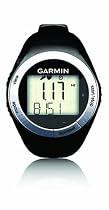
Garmin 010-00679-25 Forerunner 50 with Heart Rate Monitor and Foot Pod


Great hardware Garmin Connect still developing4

I did a lot of research before purchasing and was down to the 305 405 and 50. I really wanted a GPS watch but the price of the Forerunner 50 with footpod and HR monitor couldn't be beat. I also liked the smaller watch and the fact that it didn't need to be charged.


After owning it a week:

I really like the watch. I don't typically wear them but it is very comfortable. It is only slightly larger than a typical watch and has a fine adjustment on the band. I'm wearing it all the time.


The hardware is impressive. The foot pod and HR monitor worked very well right out of the box and were comfortable to wear. They "paired" right away and were ready to go when I was ready to run. The ANT installation went as advertised on windows vista and the upload works automatically for Garmin Training Center but not Garmin Connect.


Possible improvements:

For the watch itself the number of "views" while in training mode can be confusing. I'm sure I'll get the hang of it with use or reading manual but it is clearly more than I'm used to.


Installation: The process seemed to drive you toward choosing either Garmin Training Center (software on your computer) or Garmin Connect (web sofware) but not both. I didn't know the pro/con of either so I wanted to try both. It was awkward when it wanted me to install ANT drivers again for the installation of the second one. I canceled the installation at that point - but found that Training Center was installed.


Software: It is really not clear to me if Garmin Training Center is still being developed. They seem to be improving Garmin Connect (web) regularly but at its current state it doesn't have any benefit over Training Center. (remember - I'm not seeing the GPS/maps so maybe there is distinction there). So after a week I still find myself bouncing back and forth. There are a few bugs in Garmin Connect and a few notable features that I would really like to see (that is available in other web training software).


Results:

I'm very happy with the HR monitor and cadence results. They seem spot on and reliable. I'm still working on the distance and pace. I did a test 3 mile run on a measured course and found that it recorded 3.1 miles. I messed up a calibration run by hitting the wrong button so I'll be trying that again (a subsequent 8 mile run was recorded as a 9 mile run... argghh). I've found that the instantaneous pace is not accurate but hope it will improve with calibration. Garmin Connect is also doing something weird with the average pace calculation... but I think that is a bug that will be fixed.


Overall I'm very happy with the purchase but hope they continue to improve the software. Currently that is the weakest link. If they don't there may be other sites that accept forerunner uploaded data to fill the gap. More detail ...

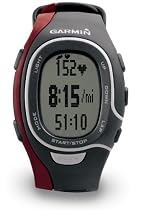
Garmin FR60 Men's Red Fitness Watch (Includes Heart Rate Monitor and USB ANT Stick)


Mostly excellent4

I was drawn to the Garmin FR60 as it represents one of the least expensive full-featured heart rate monitors which can download training data to a computer. Since I do a good chunk of my training indoors on a treadmill particularly in the winter a GPS based system was not required.


My experience with the Garmin FR60 has been mostly positive. First it's important to point out this watch is sold in at least 3 different bundles. There's the basic heart rate monitor only (all black watch) this version (red) which includes an ANT+ Stick used to download training data to a computer and a more expensive version which includes a foot pod for measuring distance. When shopping for this watch be sure you know which bundle you're ordering I had to return the black version after ordering it without realizing it didn't include the ANT+ Stick.


The watch itself is a nice form factor smaller than the large Polar S120 I'm replacing. Initial setup is easy the included quickstart guide walks you through the procedure in straightforward fashion. The screen is easy to read and navigation between menus and setting adjustments is easy. My only gripe with the watch is the placement of the Lap/Split and Start/Stop buttons. Quite simply these should be reversed. The Start/Stop button is a large white button centered just below the display area it's quite easy to press. The Lap/Split button is a small button on the side of the watch and takes a firm touch to trigger. When I'm running hard it's takes a bit of concentration to record a lap certainly more than I'd like. I expect I'll get more comfortable with this as I use the watch more.


The heart rate strap fits comfortably and is in most ways quite similar to my familiar Polar T31 chest strap with one important exception it has a door through which I can replace the battery. The Polar strap has to be sent back for a new battery and a replacement strap is $30-40. The replacable battery on the Garmin is a nice upgrade. As for function the heart rate is recorded accurately and I've yet to see it interrupted by interference. Of note the Garmin HR strap does not appear to be compatible with any treadmill I've seen the watch still records HR accurately but the treadmill will not display HR on screen. Polar seems to have cornered the market here.


Once a workout is complete recorded heart rate data can be downloaded to a computer via the ANT+ Stick a simple USB stick. Once setup the download process is quite easy. Garmin offers two options for logging your data the desktop-only Garmin TrainingCenter (which must be downloaded) or the web-based Garmin Connect. I've tried them both and find the TrainingCenter software easier to use particularly when viewing heart rate data graphs. If you spring for the footpod the software will correlate HR time and distance. Workout notes can be entered making this a nice all-around training log. It seems like development is on-going for the web-based Garmin Connect so it's possible it will get improved features in the future. Note that the data can be exported from either program as XML-based TCX files which can be processed into Excel sheets (with third party software) or uploaded to other third-party training log software. If you're comfortable with the format the TCX files can be edited directly to include data not recorded by the watch (distance if not measured by the foot pod calories burned etc).


Overall this setup has allowed me to do exactly what I had hoped; accurately record my heart rate over training runs and download it to a computer for review and analysis and comparison with previous workouts. I'm excited enough about the system that I'll be adding the SDM4 Footpod to record distance as well. If the Lap and Start/Stop buttons we're swapped it would be the perfect non-GPS based running tool and an excellent value as one of the least expensive heart rate monitors which can download to a computer.More detail ...

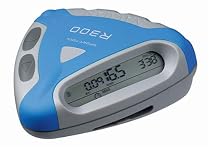
Navman R300 Sport Tool for Running


Neat but Flawed3

FOR - Lightweight attractive to look at and without the numerous unnecessary functions that many gadgets come with.

AGAINST - miscalculates urban times and distances due to loss of GPS signal

-screen difficult to read

-controls awkward when worn

-Navman do not reply to requests for advice/information not included in the manualMore detail ...

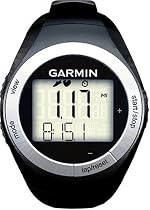
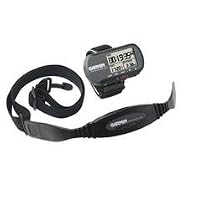
Garmin 010-00679-05 Forerunner 50 Sports Watch with Heart Rate Monitor and USB ANT Stick


Great for Running5

I already own the Forerunner 305 and love it except for the large size of the watch when I am running. I considered getting the new 405 but since I already owned the foot pod and I actually like the larger unit (read as "larger screen")of the 305 while on the bike I decided to just add to my current system with the Garmin 50. The GPS function of the 305 is nice but while I tend to explore on the road bike I also tend to travel the same routes over and over while running so the GPS functions are not really necessary. The Garmin 50 is super light and perfect for running. Via the ANT stick it will update Garmin Connect (the on-line training record) and Garmin Training Center automatically so they are always synched. The display is small and only displays two pieces of info at on time such as heart rate and distance or distance and pace but I find that's all I usually need and I can check the rest of the info at the end of the workout. I tested the foot pod distance readings against a known distance and the 305's GPS reading and it was accurate out of the box and did not require calibration.


The only problems I have had are that the date that the watch records for workouts is 7 days off and according to Garmin cannot be corrected. The date on the Time Display is correct though so it's still accurate as a watch and the date shows up correctly when you upload the workout to Garmin Training Center. I'm sure they will fix this glitch in the future but it's a minor irritation. This is a great unit. More detail ...

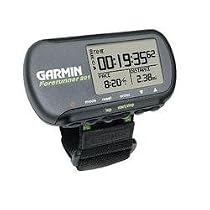
Garmin Forerunner 201 Wrist-Mounted GPS Fitness Computer


Some flaws for bicycling use4

Overall the Forerunner 201 works well for bicycling although I wouldn't discard my conventional bike computer for several reasons:


1. In Speed mode (vs. Pace mode) there's no option to average out the readings and the unit is too sensitive to motion. With the GPS mounted on a bike and the bike at a complete stop tiny motions of less than 1 cm continuously trigger the autostop/autostart so it keeps beeping and accumulating elapsed time and distance. Setting the Auto Pause threshold to a non-zero value mitigates this problem at a slight risk of false pauses.


2. The % grade (custom) readout is highly erratic. If you're moving too slowly (less than 5 mph) even if you're burning your lungs on a climb it may read 0% or even a negative number like -3%! Seems like there may be a math underflow bug in the algorithm when the vertical displacement is too small over successive readings.


3. The altitude reading is not credible when you don't have a clear view of the sky. The unit seems to extrapolate from the last trend it had to "update" the readout rather than indicating that it's unable to read the altitude. I was on King's Mountain Road (SF Peninsula) under tree-cover came out into an open spot and the altitude reading jumped by over 500 feet when the GPS got an actual reading from the satellites. There are 2 stretches like this on the climb and it happened both times.


Enabling Auto Lap in the Training Assistant mode sets the GPS to record trackpoints (time latitude longitude and altitude) supposedly at fixed distance intervals the finest preset value being 1 mile. At firmware version 3.40 the current track can hold 3000 points with the oldest points being overwritten by the newest when you exceed 3000.


You might think this means you can go 3000 miles without losing any data but it seems to sample more often than at 1 mile intervals. I've found that after about 7 hours I start getting my oldest trackpoints overwritten. The only way around it is to remember to stop the timer reset then start the timer: this starts a new track (the previous track is still in the unit's memory until you clear History).


The Windows-only Forerunner Logbook application downloadable from Garmin's website is able to download tracks and display (a) speed or pace vs. time (b) map of the route (from timer start to timer stop) (c) altitude vs. time. There were some goofy data for my most recent ride which showed me exceeding 80 mph(!) probably caused by gaps when the GPS signal was too weak to register. The Logbook application can also export the data as an XML file where each data sample contains Zulu time latitude longitude and altitude (in meters regardless of your settings on the Forerunner or in Logbook). However the format seems not be recognized by any program (including Forerunner Logbook; i.e. it doesn't know how to read the XML file it wrote!) making it of rather dubious value. Garmin's more recent Training Center (again Windows-only) app does better. GPSBabel (and MacGPSBabel) can now translate LogBook's XML to other formats including HikeTech (see below). With your track data in GPX format you can use FlightTrack (Mac OS X) to make dynamic 3D maps overlaid on digital terrain models; and the web-based GPS Visualizer (www.gpsvisualizer.com) to overlay tracks on hi-res satellite/aerial photos generate elevation profiles and generate kml or kmz files to load into Google Earth (download from earth.google.com Win 2000 XP OS X 10.3.9 and 10.4.x only).


I found the pins securing the wrist strap impossible to budge with a screwdriver as stated in the manual. I had to take it to a watch repair shop where the repairer used a "jeweler's band pin removing tool" -- with some careful effort -- to pop the pins in order to remove the wrist strap. So it seems you either leave the wrist strap on or off (or buy the jeweler's tool): it's too difficult to switch around.


Why is Garmin still stuck on serial port interfaces? USB has been around for a few years now and is much easier to deal with. It would also be friendlier if you didn't have to use the charger cradle in order to connect to a computer. The standard charger sold in the US is 120v only. It wouldn't have cost much more to design a universal 120-240v charger for worldwide use. Garmin's MSRP for their 240v version is an outrageous $32.90! (It can be found mail-order for around $20.)


The owner's manual is pretty minimal. It doesn't explain the elements of the Map Mode display. Perhaps it works well at walking/running speeds but on a bike I can't pay attention to the road and simultaneously focus on its tiny symbols. And on most rides the display is too small to cover the range of the entire route without the waypoints/auto lap points overlapping.


Once again we Mac (and Linux and even Win 95) users are ignored by a manufacturer when it comes to software support. The only way to update the firmware is with a Windows PC because the firmware is wrapped up inside a Windows-only "Updater" executable. On a Mac you can use a serial-to-USB adapter cable and Virtual PC running Windows 98 or later to update the firmware. You may have to install a Windows driver from the manufacturer of the adapter cable. In my case I also had to tell Virtual PC that COM1 was the "usbserial0" port on my Mac.


For Mac OS X I found a set of 3 shareware programs from HikeTech.com to be useful. They are: (1) Link2GPS for transferring waypoints to/from the GPS and downloading tracks from the GPS; (2) TopoDraw to display tracks as a 2-D map (you can even overlay tracks on digitized maps as long as you have at least 3 waypoints you can identify on the map to establish its scale and relationship to the track data); (3) gpswrite to chart altitude vs. distance speed vs. distance. The 3 programs work together using files in GPX format.


NEWER ALTERNATIVES (at higher prices of course): In 2006 Garmin has 2 newer lines of sports-oriented GPS units. The Forerunner 205 is a wristwatch unit with all the features of the 201 a smaller-but-higher resolution screen and more sensitive GPS circuitry and faster satellite sync. It comes with a 120v/60Hz charger only no international version. There's a model 305 which adds a heart-rate monitor. Another new series is the Edge aimed squarely at cyclists. The 205 is the basic model the 305 the higher-end one which adds cadence and/or HRM and a barometric altimeter. The Edge series has a larger grayscale screen better sensitivity and faster satellite sync and offers a 240v/50Hz charger as an optional accessory.More detail ...

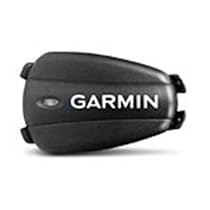
Garmin Foot Pod for Forerunner 305 405 and 50


Works Flawlessly4

I have my Foot Pod paired with my Garmin Forerunner 305 and am very satisfied. The Foot Pod has a plastic bracket that fits under my shoe string while the Foot Pod fits over my shoe string. It can be a little difficult to get the two pieces to click together but when they do they form a secure arrangement. I followed the instructions in the Forerunner manual and paired the Foot Pod with the Forerunner on the first try. Once this is done it does not have to be repeated since the Forerunner automatically detects the Foot Pod from then on.


The Foot Pod measures my pace in strides per minute and also measures my distance traveled. I am a little disappointed that the Forerunner allows the distance measured by the Foot Pod to over ride the distance measured by the GPS in the Forerunner. I suspect the distance measured by the GPS is more accurate but I can not find an option to force the GPS distance to be used while the Foot Pod is in use. Walking the same course results is a measured distance of 3.26 miles using the GPS and 3.30 miles using the Foot Pod which I feel is good agreement. I did not have to follow the calibration instructions to achieve these results.


Overall I have found the Foot Pod a great addition to my exercise equipment especially when I am inside and out of range of the GPS satelittes.More detail ...

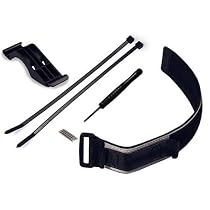
Garmin 010-10889-00 Forerunner 305/205 Quick Release Kit


Excellent!5

This kit contains a velcro wrist strap with a sturdy plastic mounting clip. The original strap pieces are permanently removed using the supplied tool then the strap pins are replaced into the 305 body. The pins can then clip into the mount on the velcro strap or the identical part of the bike mount. Removing the unit from the bike and putting it on your wrist or vice-versa takes less than 5 seconds.


The reviewer who said you have to take several minutes to re-attach the original wrist straps after taking the 305 off your bike seems to have failed to grasp the concept; the velcro strap *permanently* replaces the original straps.


The only potential downside I can think of is that the clip on the velcro wrist strap could hang up on long sleeved clothing like a wetsuit so triathletes will want to put the strap on during T1. Other than that this is a very handy piece of kit!

More detail ...

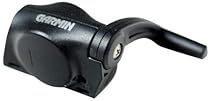
GARMIN 010-10644-00 Speed/Cadence Sensor


Excellent compact lightweight wireless cadence sensor5

Another handy piece of equipment from Garmin!


This kit comes in three basic parts; a sensor unit which is about the size of a matchbox and two magnets about the size of your pinky nail. Several zip-ties are included for mounting purposes; the entire kit weighs at most a couple of ounces.


Installation is pretty straightforward but do follow the directions carefully and don't snug down the zip-ties until you're sure you've got all three components just where you want them and have tested the system!


The sensor mounts to the left chain stay with a pair of zip-ties. Garmin thoughtfully added a piece of rubber padding to the bottom of the sensor unit so it won't rough up your fancy carbon frame or your paint job :)


A single zip-tie attaches the crank magnet to the crank although I had to use a large (3/4") shim on my FSA crank (which has a curved profile and a hollow back) to place the crank magnet in the proper position for the sensor to "see" it. The spoke magnet clamp has both a round hole and a square hole; make sure you use the right hole for your spoke profile! I mounted mine on a spoke directly opposite the tire valve just to help keep the wheel in balance.


The sensor unit must be positioned along the chain stay such that it can "see" both the crank magnet as it passes by the cadence sensor (the round part on the side of the sensor unit) and the spoke magnet as it passes the speed sensor (the part that looks like a lever in the picture).


Testing is accomplished by pressing a small button on the sensor unit which prompts it to flash a red LED then a green one to indicate that testing is started. As pointed out by another reviewer the LEDs are hard to see in bright ambient light; I'd recommend testing in a garage if possible. Hi-intensity LEDs would have solved this problem although I suspect these LEDs were chosen for their low power consumption so maybe it's a smart design decision after all.


Once the test button is pressed the next 60 revolutions of the crank should cause the red LED to flash when the crank magnet passes the sensor while the spoke magnet passing the sensor should generate a green LED flash. If you saw the red/green flash when the button was pressed but don't see a flash as each magnet passes the sensor chances are one or both magnets are not properly aligned with the sensor (there are alignment lines on the sensor and both magnets) or the magnets are passing too far from the sensor (this is the problem I encountered and solved with a shim).


When you're sure everything is in the right places snug the zip-ties and cut them flush. Then set up a screen (typically the Biking screen) on your 305 to display Cadence in one of the data fields and go ride!

More detail ...

Garmin Forerunner 301 GPS Personal Training Device


Do you take your running seriously?5

I have recently purchased a Forerunner 301 after having used a Sports Instruments heart rate monitor for about a year. The heart rate monitor was excellent and certainly usefull in the gym - rather than wait a certain length of time between sets wait until your HR is below 120bpm. It allows you to pace yourself much more.

When it comes to running it is difficult to measure your performance (time heart rate and distance) over the days and weeks. A heart rate monitor is good but when training you need to push yourself and will always have a high heart rate.


The forerunner is a completely different animal. So different that there really isn't any fair comparison at all.

With this puppy on your arm you can build a workout (they are quite simple but effective) on your pc slap it on the forerunner and off you go. Great running feedback and excellent info when transferred to the pc. Everything is easy to do - not quite WinXP wizard easy but simple none the less.


If you live in a large city forrested areas or anywhere with sky obstructions then it may give your trouble with reception. I have had a gps for years and with my wifi experience I knew that reliable reception was going to be an issue. However for me I found the reception excellent. Great in fact! In my lounge I can still get a lock with 4 good strength sattelites! If I stop it reacts within 1 second and another second it knows I have stopped (due to the 1 second display update speed). Much better gps calculations than my garmin gps12.


If you are gagety inclined and ARE taking (not just wanting or planning to) your running or biking seriously then without a doubt this is the machine for you.


It isn't too big but big enough to read. Locks on in less than 1 minute in my small back yard and has stellar reaction time. Perhaps even just keeping track of your exercise history is worth it for you? Or the in running feedback? Or the calorie (much more realistic than anythng else I have seen) info?


I am very happy with my buy. I paid $230 for it. Worth every last buck. From my experience I have no trouble recommending the Forerunner 301 to any one who is taking their running seriously!!

More detail ...

Garmin Forerunner 301 GPS Personal Training Device


Do you take your running seriously?5

I have recently purchased a Forerunner 301 after having used a Sports Instruments heart rate monitor for about a year. The heart rate monitor was excellent and certainly usefull in the gym - rather than wait a certain length of time between sets wait until your HR is below 120bpm. It allows you to pace yourself much more.

When it comes to running it is difficult to measure your performance (time heart rate and distance) over the days and weeks. A heart rate monitor is good but when training you need to push yourself and will always have a high heart rate.


The forerunner is a completely different animal. So different that there really isn't any fair comparison at all.

With this puppy on your arm you can build a workout (they are quite simple but effective) on your pc slap it on the forerunner and off you go. Great running feedback and excellent info when transferred to the pc. Everything is easy to do - not quite WinXP wizard easy but simple none the less.


If you live in a large city forrested areas or anywhere with sky obstructions then it may give your trouble with reception. I have had a gps for years and with my wifi experience I knew that reliable reception was going to be an issue. However for me I found the reception excellent. Great in fact! In my lounge I can still get a lock with 4 good strength sattelites! If I stop it reacts within 1 second and another second it knows I have stopped (due to the 1 second display update speed). Much better gps calculations than my garmin gps12.


If you are gagety inclined and ARE taking (not just wanting or planning to) your running or biking seriously then without a doubt this is the machine for you.


It isn't too big but big enough to read. Locks on in less than 1 minute in my small back yard and has stellar reaction time. Perhaps even just keeping track of your exercise history is worth it for you? Or the in running feedback? Or the calorie (much more realistic than anythng else I have seen) info?


I am very happy with my buy. I paid $230 for it. Worth every last buck. From my experience I have no trouble recommending the Forerunner 301 to any one who is taking their running seriously!!

More detail ...

Garmin Forerunner 405CX GPS Sport Watch with Heart Rate Monitor (Blue)


More detail ...

Garmin Forerunner 305 GPS Receiver With Heart Rate Monitor

Package Includes: Forerunner 305 Heart rate monitor docking cradle expander strap AC charger PC/USB interface cable Quick start guide Garmin Training Center CD & owner's manual

The Garmin Forerunner 305 GPS System combines form and function. This combination running partner and personal trainer is designed for athletes of all levels. It features a high-sensitivity GPS receiver new courses feature and robust ANT wireless heart rate monitor for optimal performance. The super-sensitive GPS tracks your every move even working on tree-covered trails and near tall buildings. The heart device monitors your heart rate speed distance pace and calories burned so you can train smarter more effectively. These taskmasters will continually push you to do your personal best. Courses feature lets you download recorded courses and compete against previous workouts Auto Pause pauses and resumes training timer GPS features - GPS with high-Sensitivity SiRFstarIII architecture Wireless communication between system devices via ANT protocol Display Size(WxH) - 1.3 x 0.8 (33 x 20.3 mm) Lap Memory - 1000 laps Rechargeable internal lithium ion battery - lasts 10 hours (typical use) Waterproof - Submersible in one meter of water for up to 30 mins. Alerts - Time distance pace and heart rate Physical Size(WxHxD) - 2.1 x. 7 x 2.7 (53.3 x 17.8 x 68.6 mm) Weight - 2.72 oz. (77 g)

Heart rate monitor features - Transmission Range - approximately 3m (9.8ft) 3V CR2032 battery - lasts 3 years (1 hour per day) Physical size(WxHxD) - 13.7 x 1.4 x 0.5 (348 x 35.6 x 12.7 mm) Weight -. 74 oz (21 grams)More detail ...